
Tech
Gmail’s Urgent 99.9% Security Victory Exposes Viral Lie

Table of Contents
Don’t Fall for the Fake Gmail Alert: The Real Story Behind the Viral Panic
A wave of alarming headlines has sent a shock through the digital world, claiming that 2.5 billion Gmail users are under direct threat and must change their passwords immediately. The news sounds dire, but before you rush to update your credentials, it’s crucial to separate fact from fiction.

Google itself has stepped in to debunk these claims, labeling them “entirely false.” So, what’s the real story, and why is this misinformation so dangerous?
The Source of the Confusion: A Different Breach
The viral panic appears to be a distortion of a real, but unrelated, security incident. In June, a cybercriminal group known as Shiny Hunters successfully breached a specific Salesforce database used by Google. It’s important to note: this database managed customer data for Google’s small and medium-sized business clients, not the general Gmail user base.
According to Google’s investigation, this breach did not compromise core consumer products like Gmail, Google Drive, or Google Photos. Crucially, no passwords, financial information, or personal emails were exposed in this event.
The Real Threat: Phishers Using Scare Tactics
The most sinister aspect of this false alarm is that scammers are actively exploiting it. They are using the fear generated by these viral headlines to launch sophisticated phishing attacks.
Here’s how the scam works:
- A user sees a headline claiming a “Gmail emergency alert.”
- They then receive a call, text, or email that appears official, urging them to change their password immediately due to the “hack.”
- The message includes a link to a fake Google login page or instructs the user to change their password over the phone.
- If the user complies, the scammer captures their login credentials and takes full control of their account.
This is a classic fear-based phishing scheme, and the viral misinformation is giving it a powerful boost.
Google’s Official Stance and Powerful Protections
In a complete statement on September 1, Google moved to reassure its billions of users:
“We want to reassure our users that Gmail’s protections are strong and effective. Several inaccurate claims surfaced recently that incorrectly stated that we issued a broad warning to all Gmail users about a major Gmail security issue. This is entirely false. While it’s always the case that phishers are looking for ways to infiltrate inboxes, our protections continue to block more than 99.9% of phishing and malware attempts from reaching users.”
This 99.9% block rate is a testament to the robust, multi-layered security infrastructure that protects your inbox every day.
What You Should Actually Do for Maximum Security
Instead of reacting to false alarms, focus on these proven security best practices recommended by Google:
- Enable 2-Step Verification (2SV): This adds a critical second layer of security beyond your password. Even if a scammer gets your password, they can’t log in without your phone.
- Switch to Passkeys: For the strongest protection, consider using passkeys. They are a revolutionary passwordless sign-in technology that is both more secure and easier to use.
- Be a Phishing Vigilante: Always be skeptical of unsolicited messages urging immediate action. Never click on links in emails asking you to log in. Instead, go directly to mail.google.com in your browser. Learn how to spot and report phishing attempts in Gmail.
- Use a Strong, Unique Password: While this incident wasn’t a password leak, it’s always good practice. Use a unique password for Gmail that you don’t use anywhere else. Let Google’s built-in Password Manager help you.
In conclusion, there is no “emergency alert” for Gmail users. The real danger isn’t a mythical breach; it’s the scammers weaponizing misinformation. By staying informed and adopting stronger authentication methods like 2SV and passkeys, you can render their tactics useless and keep your account safe.

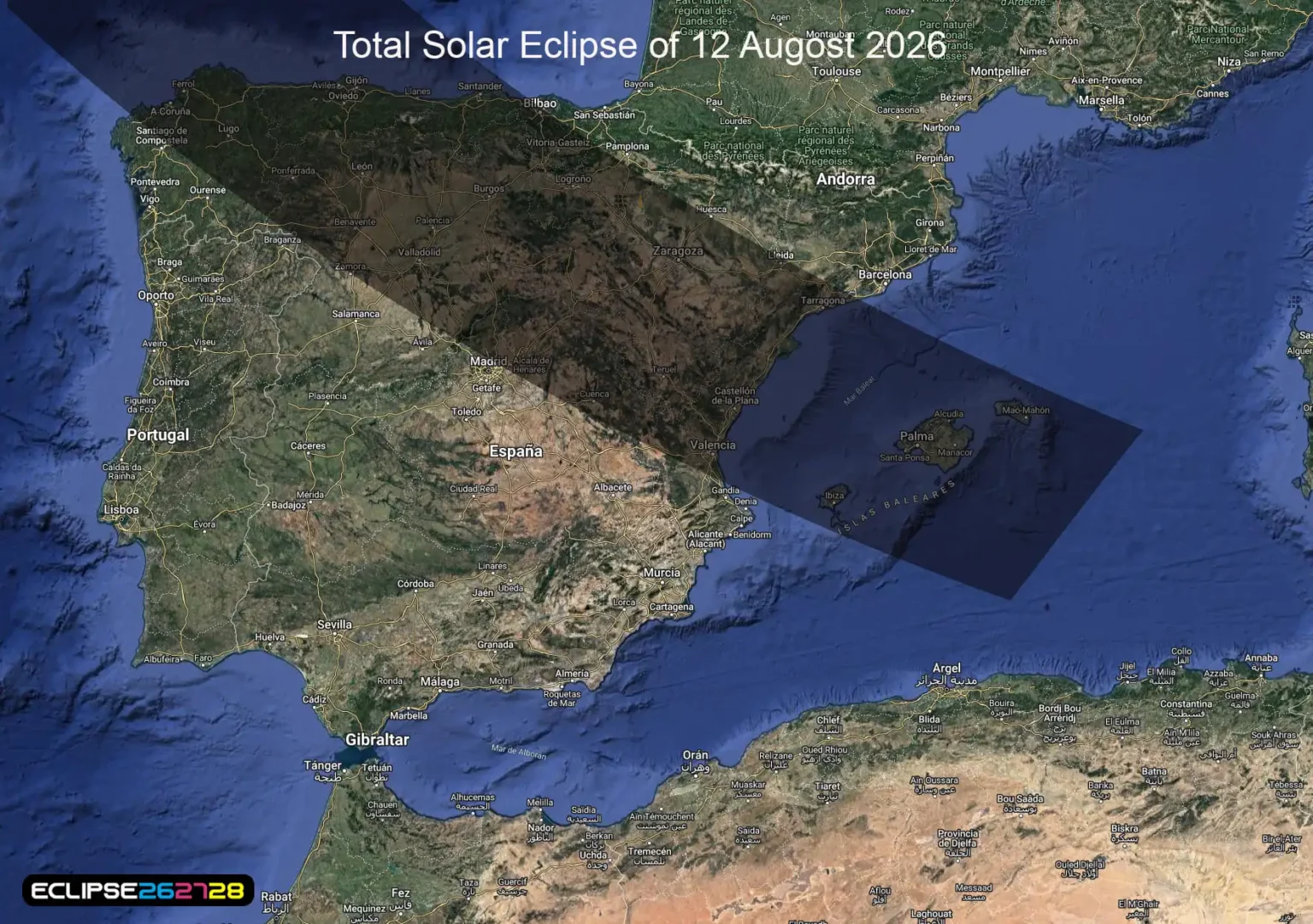
Table of Contents:
A rare celestial event is taking place on August 12, 2026, and skywatchers around the world are preparing to look toward the sky. The big question for many viewers is simple: what time is the solar eclipse on August 12?
The answer depends heavily on your location. The 2026 event is a total solar eclipse along a path crossing parts of Greenland, Iceland, northern Russia and Spain, while many other areas—including parts of the United States—will experience only a partial eclipse.
What Time Is the Solar Eclipse on August 12?

The worldwide eclipse begins at approximately 15:35 UTC, with the greatest eclipse occurring at about 17:47 UTC. Because the eclipse moves across a large geographic area, local viewing times are different from one location to another.
For viewers in the Eastern Time Zone, the greatest eclipse occurs at roughly 1:47 p.m. EDT. However, this does not mean every location in the eastern United States will see totality. Most U.S. viewers outside the path of totality will see a partial eclipse.
Solar Eclipse August 12, 2026: What Will Americans See?
For much of the United States, the event will be a partial solar eclipse, rather than the spectacular total eclipse visible in parts of the North Atlantic and Europe.
In New Jersey, for example, observers will see only a small partial eclipse during the afternoon. Local reporting indicates the eclipse will begin at about 1:05 p.m., peak around 1:45 p.m., and finish around 2:40 p.m. local time.
That means New Jersey viewers should not expect the sky to become completely dark. Instead, the Moon will cover a portion of the Sun.
Where Will the August 12 Eclipse Be Total?
The most dramatic views will occur along the eclipse’s narrow path of totality.
NASA identifies Greenland, Iceland and northern Spain, along with parts of northern Russia, as locations where observers can experience totality.
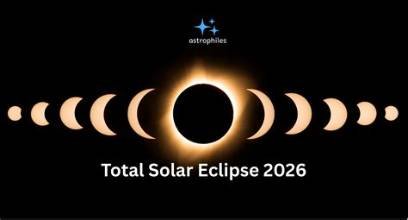
During totality, the Moon completely covers the bright disk of the Sun, allowing the Sun’s much fainter outer atmosphere—the corona—to become visible.
This is the positive side of the event: millions of people have an opportunity to witness a rare astronomical spectacle. But there is also a serious negative risk if people watch without proper eye protection.
Solar Eclipse Safety: Don’t Look Directly at the Sun:What Time Is the Solar Eclipse on August 12

A solar eclipse can be exciting, but ordinary sunglasses are not safe for viewing the Sun.
For a partial eclipse, viewers should use properly certified solar-viewing glasses or another approved solar-filter method. Looking directly at the Sun without suitable protection can cause serious eye injury.
Parents should also make sure children understand that cameras, binoculars and telescopes require appropriate solar filters. Simply putting eclipse glasses over an optical device is not a safe substitute for a properly designed solar filter.
Why August 12, 2026 Is Such an Important Sky Event
The August 12 eclipse is particularly exciting because the path of totality passes through several spectacular northern locations.
For travelers, Iceland, Greenland and northern Spain offer the chance to combine eclipse viewing with an unforgettable trip. For people elsewhere, the partial eclipse still provides an opportunity to observe the Moon passing across the Sun—provided proper eye protection is used.
NASA has also highlighted the August 12 eclipse among its major skywatching events for August 2026.
The Biggest Mistake Eclipse Viewers Should Avoid
The biggest mistake is assuming that everywhere experiences the eclipse at the same time.
The global eclipse begins and ends at different times as the Moon’s shadow moves across Earth. Your exact start, maximum and end times depend on your location.
So, if you’re searching “what time is the solar eclipse on August 12,” the best answer is to check an eclipse calculator for your exact city rather than relying on a single worldwide time.
Final Thoughts:
The August 12, 2026 solar eclipse promises to be a memorable astronomical event. While some locations will experience breathtaking totality, many places—including much of the United States—will see a partial eclipse.
The approximate worldwide schedule puts the greatest eclipse near 17:47 UTC, or about 1:47 p.m. EDT.
Whether you’re watching a partial eclipse from the United States or traveling to the path of totality, preparation is essential. Check your local timing, watch the weather forecast and, most importantly, protect your eyes with proper solar-viewing equipment.
The event may be beautiful—but viewing it carelessly can be dangerous .
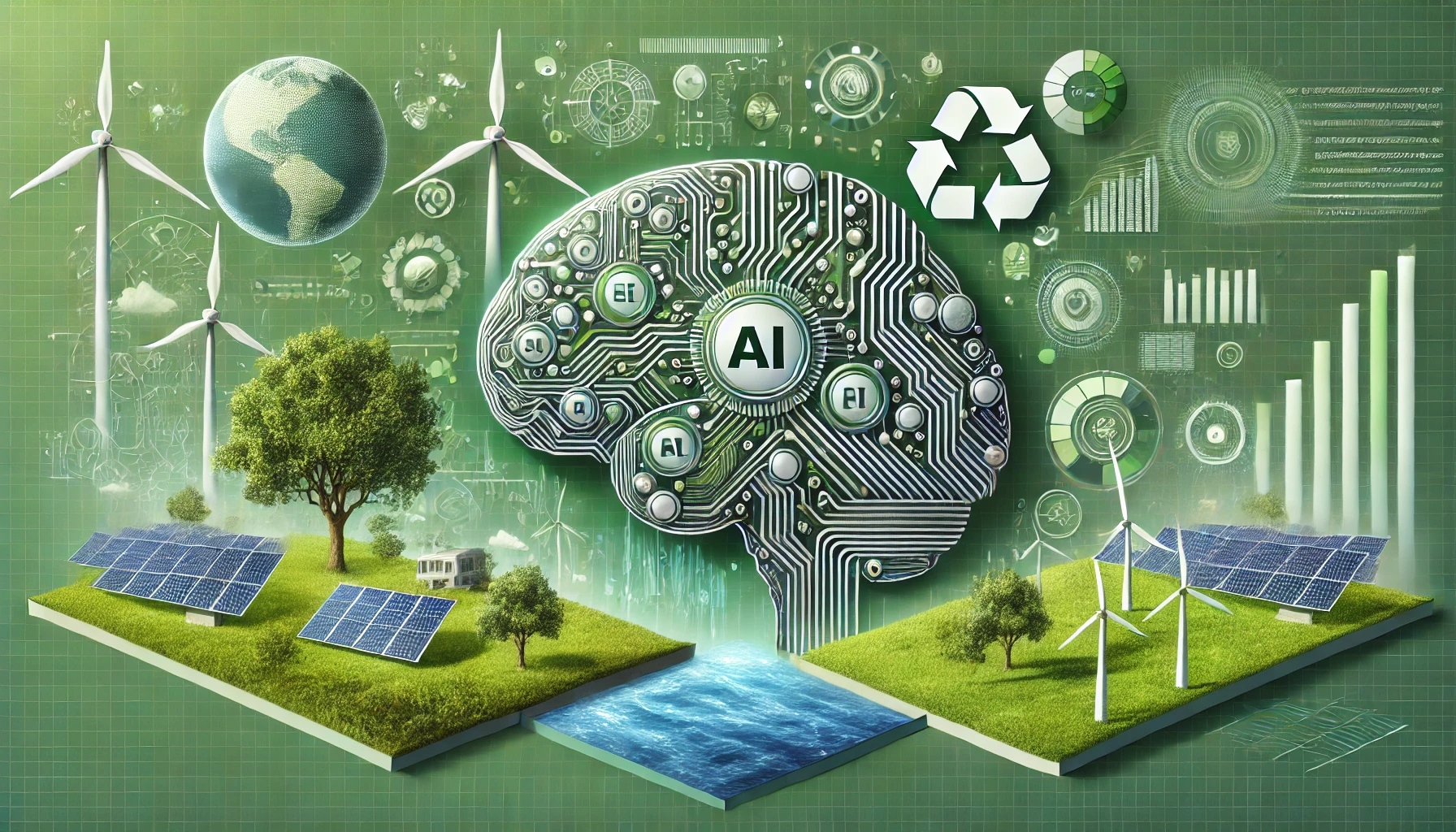
Table of Contents
2027 Could Become a Defining Year for the Future

The year is already attracting attention as governments, businesses, technology companies and entertainment industries prepare for major developments. From artificial intelligence and digital transformation to international sports and changing consumer habits, the year could bring exciting opportunities while also creating serious challenges.
Some developments are already scheduled. The FIFA Women’s World Cup will take place in Brazil, while the Cricket World Cup is scheduled across South Africa, Zimbabwe and Namibia. The first Olympic Esports Games are also planned for Riyadh.
For consumers and businesses, however, the biggest story may be technological change.
Artificial Intelligence Could Dominate 2027
Artificial intelligence is expected to play an even larger role in everyday life by 2027. Businesses are increasingly using AI for research, customer service, marketing, software development and content creation.
The potential benefits are significant. AI could help companies become more productive, assist doctors with complex tasks and provide consumers with increasingly personalized digital services.
But there is also a darker side. Concerns about misinformation, cybersecurity, privacy and job disruption are likely to remain major issues. The challenge will be finding a balance between innovation and responsible use.
2027 Could Be a Major Year for Entertainment

The global entertainment industry is expected to continue its shift toward digital platforms, streaming, gaming and advertising.
PwC previously projected that global entertainment and media revenue could reach approximately $2.8 trillion, with digital sources accounting for nearly three-quarters of industry revenue. Gaming was identified as one of the industry’s major growth engines.
That creates a positive outlook for filmmakers, musicians, game developers and digital creators. At the same time, intense competition could make it harder for individual streaming services and entertainment companies to maintain profitability.
Major Sports Events Will Bring Global Attention
Sports will be another important part of the calendar.
The 2027 FIFA Women’s World Cup in Brazil is expected to generate substantial international interest. Women’s professional soccer is also continuing to grow in the United States, with the NWSL positioning its 2027 season around the broader international soccer calendar.
Cricket fans will also have a major event to follow, with the Cricket World Cup scheduled to be hosted by South Africa, Zimbabwe and Namibia.
These events could provide positive economic opportunities for host countries, tourism businesses and broadcasters, although large sporting events can also face challenges involving costs, infrastructure and logistics.
Technology Companies Prepare for a New Era
Technology exhibitions are already looking forward to it. CES for example, is scheduled for January 6–9 in Las Vegas, highlighting how artificial intelligence, connected devices and other emerging technologies will remain central to the technology industry.
Businesses are expected to focus heavily on:
Artificial intelligence
Robotics
Cloud computing
Cybersecurity
Connected devices
Electric vehicles
Renewable energy
Advanced digital services
The positive possibility is faster innovation. The negative concern is that companies and workers that fail to adapt could find themselves increasingly behind their competitors.
The Global Economy Faces Opportunities and Risks
The economic picture for 2027 is difficult to predict with certainty.
Technology investment could support productivity and create new industries. However, inflation, interest rates, geopolitical tensions and changes in consumer spending could create uncertainty.
Businesses are therefore likely to prioritize efficiency and flexibility. Companies capable of adopting new technology without losing sight of customer needs could have an advantage.
Climate and Renewable Energy Remain Important
Climate change will remain a major concern in 2027.
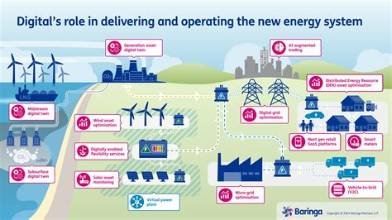
Governments and businesses are expected to continue investing in renewable energy, electric transportation and more efficient infrastructure. These developments could create new industries and jobs while reducing dependence on fossil fuels.
However, extreme weather, rising infrastructure costs and disagreements over environmental policies could create significant obstacles.
Positive Outlook: Innovation Creates New Opportunities
There are plenty of reasons to be optimistic about 2027.
Technology could make healthcare more efficient, businesses could become more productive, and consumers could gain access to better digital products. International sporting and entertainment events could also create tourism and economic opportunities.
For workers, learning new digital skills may open doors to emerging careers in AI, cybersecurity, healthcare technology, renewable energy and advanced manufacturing.
Negative Outlook: Rapid Change Could Create New Problems
The future will not be completely positive:
Rapid technological development could increase concerns about employment, misinformation and privacy. Global political tensions could also affect trade and financial markets.
The growing amount of AI-generated content may make it more difficult for people to distinguish authentic information from misleading material. Cybersecurity could become an even bigger priority as more services move online.
What Could Make 2027 Different?
One of the biggest themes of 2027 may be adaptation.
People who learn to work effectively with new technologies could benefit from emerging opportunities. Companies that embrace innovation responsibly may gain an advantage, while organizations that resist change could struggle.
The same principle could apply to governments, which will need to balance technological progress with privacy, security, employment and public trust.
Final Outlook for 2027
2027 has the potential to be an exciting but complicated year. Major sporting competitions, technological advances and continued growth in digital entertainment could create a powerful sense of optimism.
At the same time, economic uncertainty, geopolitical tensions, climate concerns and rapid technological disruption could produce difficult challenges.
The most important story may therefore not be what happens in 2027, but how successfully people, businesses and governments adapt to it.
Useful Links
United Nations — Global issues and international developments.
International Monetary Fund — Global economic research and outlooks.
World Economic Forum — Technology, business and global trends.
PwC Global Entertainment & Media Outlook — Entertainment and media industry forecasts.
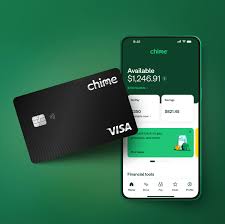
Table of Contents
Is Chime Down:In a significant service disruption on April 1–2, 2026, millions of users of the popular Chime mobile banking platform reported widespread outages that affected key functions — raising questions online about “Is Chime down?” and leaving many customers unable to access routine banking services.
Widespread Issues Hit Core Banking Functions:Is Chime Down

Thousands of users took to outage trackers and social media to report that Chime’s mobile app and certain financial services were unresponsive or malfunctioning. Reports peaked with over 20,000 outage incidents logged by outage tracking site Downdetector, showing disruptions across features like in-app payments, transfers, SpotMe, mobile check deposit, and other services.
Despite these user reports, Chime’s official status page initially maintained that core systems were operational, creating frustration among customers who continued to experience login failures, account balance errors, and interrupted transactions.
Why the Outage Matters:Is Chime Down
For many, Chime isn’t just another fintech app — it’s the platform they rely on for everyday banking, direct deposits, and bill payments. When critical functions like mobile access and money transfers go down, users are left without control of their finances in the moment, which can be especially disruptive during business hours.
What Users Reported
- Login failures and app freezing were among the most common complaints early Thursday morning.
- Social channels saw users comparing experiences, with some noting that while direct deposits and card transactions remained stable, others couldn’t access even basic features.
- Discussions on Reddit showed additional anecdotal reports from earlier outages, where similar problems left users unable to check balances or complete transfers.
Possible Reasons Behind ‘Is Chime Down’ Reports

Experts and analysts say outages in digital banking platforms can stem from a range of causes — including server overloads, unexpected maintenance, cloud-service interruptions, or third-party tech failures — and this appears consistent with various historical issues seen in fintech services.
Third-party infrastructure problems, such as those experienced by cloud computing providers, have previously knocked numerous popular apps offline worldwide, highlighting how interconnected modern banking services can be.
Official Response and Recovery
Chime’s official status page began acknowledging the investigation into the disruption as reports increased, but precise details on the root cause and recovery timeline remained limited at the time of reports.
User Tips During Outages
If you’re experiencing issues when Chime is down, here are practical steps you can try:
- Restart the app or your device
- Check internet connectivity
- Try accessing your account via a desktop browser
- Look for official status updates from Chime
For persistent problems involving transactions or account access, contacting Chime’s customer support can help confirm whether the issue is widespread or specific to your account setup.
In summary: A major outage disrupted Chime’s services recently, prompting thousands of users to ask “Is Chime down?”. While official systems initially showed operational status, widespread user reports made it clear that many core banking features were affected, reflecting the challenges that online financial platforms can face when technical issues arise.


Bills vs Lions: Thrilling Opener, Tough Test Ahead Tonight!!!

Maria Bartiromo’s Stunning Exit Brings New Hope for Her Future

Cardinals vs Cubs:Major League Thrilling Clash Brings Joy Despite Tough Blow

New Movies Streaming – 6 Must-Watch New Movies & Shows Streaming This Weekend (July 18 – 20)

Hollie Strano’s Incredible Comeback: 1 New Radio Gig After WKYC Exit

911 outage – Pennsylvania experiencing problems with 911 calls statewide
-
 Entertainment1 year ago
New Movies Streaming – 6 Must-Watch New Movies & Shows Streaming This Weekend (July 18 – 20)
-
 News1 year ago
Hollie Strano’s Incredible Comeback: 1 New Radio Gig After WKYC Exit
-
 News1 year ago
911 outage – Pennsylvania experiencing problems with 911 calls statewide
-
 News1 year ago
Type 1 Diabetes Barbie Doll – A Step Toward Inclusivity in Toys
-

 Entertainment11 months ago
Donna Jean Godchaux – Heartbreaking Loss: Music Legend Dies at 78
-

 Sports1 year ago
Liverpool vs Athletic Club: Squad Update – Van Dijk, Bradley, Alisson, Gomez Ruled Out
-

 News1 year ago
NYC Subway Flood – Live Updates: NYC Subway Flood Disrupts Commute After Flash Flooding
-

 News1 year ago
Jannik Sinner and Carlos Alcaraz set for Wimbledon final showdown after semifinal wins